
The markets are changing and some the old-school way of doing things are no longer viable.
When it comes to content creation, this is particularly true.
It can be hard and time consuming to consistently write new blog posts, video scripts, product descriptions, emails …etc.
As a result, a lot of investment has been made into GPT-3.
What is GPT-3?
GPT3 is an autoregressive language model that uses deep learning to produce human-like text.
It does this by using a large set of samples from the input data and mapping them into ngrams, which are then turned back into words in order for new sentences to be generated.
So what tools should we be considering for our next project to provide a better user experience that will allow us to stay ahead in this competitive landscape?
Conversion.AI is a new tool that uses deep learning to help marketers create a ton of different content and I’ll be looking at this tool today.
Perfect for anyone who needs help writing.
How I found Conversion.AI?
I actually found Conversion.AI by chance

I saw a post on Facebook saying how great it was but before I had the chance to check it out, things got in the way.
Being busy with my Video PLR brand put pay to it.
Fast forward a few weeks, and something triggered my brain to do a search on Google.
I went to the homepage and saw they had a replay of a webinar.
On that webinar, which was well done I must say, there was an opportunity to join at what they called the unlimited plan.
So, I thought I’d try it out for a month or two and see.
I paid my $99 and I was a member.
My Hopes
I wanted this software to hep me write better, create high converting copy and allow me to generate extra content.

Now, I really like the platform.
Like all good tools it takes something that I could do myself, and automates it saving me time and stress.
It’s not perfect but it is pretty amazing.
The conversion.ai generated content is as good as it gets, but to make the final product a success and achieve the success you want, you’ll need human editing for refinement and fine-tuning.
I used Conversion AI’s writing platform in this post
All I did was feed the AI little bits of information and let the tool do the rest.
So, apart from the video and the text above these sentences, and my summary and bonus, this was all written by Jarvis, the AI behind the software.
I just proof read it for good measure.
So, here goes with a Conversion.ai review.
Who is Behind the Software?
Conversion.ai is the newest software by UseProof, a company who has been helping site owners increase conversions and sales in various ways for years.
I believe Dave Rogenmoser is the founder.
What is Conversion.ai?
Conversion.ai is a software that allows you to optimize your conversion rates across all of your marketing channels in just minutes by telling the system what you want and letting it do the rest for you.
If you write any form of website copy then this will appeal to you.
It’s like having an army of expert marketers working for you 24/7, but without any of the hassle or expense!
Interface and Onboarding process
Conversion.ai’s assistant is called Jarvis.
And Jarvis takes you through the onboarding process.
The process of signing up for the platform is very straightforward.
It has an onboarding right off the bat that asks some questions about what you intend to use Conversion.ai for, and which industry type it applies to (personal/agency or your own business).
When I got to the main interface I was pleasantly surprised.
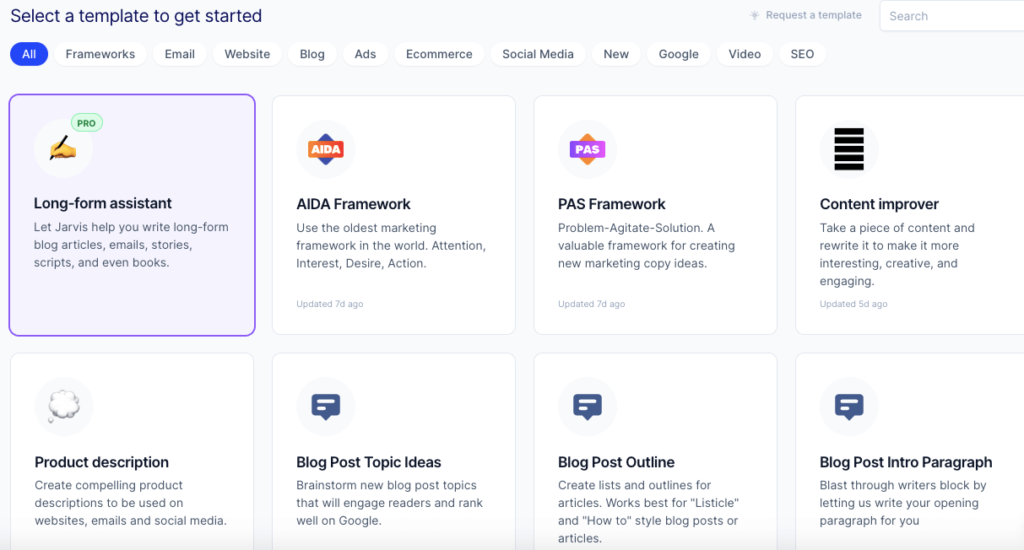
I loved how organized their dashboard layout is where there are rows of templates clearly named.
This made navigating through all my options super easy.
The Conversion.ai Templates
While I have not used them all, here is an outline of the templates available inside.
Each one has a solid framework and it doesn’t matter what your copywriting level is.
Main Templates
- Attention, Interest, Desire, Action (AIDA) Framework: The Attention, Interest and Desire framework can help you write more compelling descriptions of your company’s products. By explaining the benefits to customers in such a way that they are caught up enough with what it is and why should care about this product or service will be very helpful for increasing sales conversions rates.
- Content improver to rewrite content: Take a piece of content and then use the tool to tweak it so it’s much more interesting, creative and engaging.
- Blog post topic ideas: Finding a way to get your content ranked well on Google is one of the most important things you can do as an entrepreneur. It will be difficult, but this section can brainstorm topics that are worthy and have high potential for being clicked upon by readers in order to secure good rankings.
- Blog post outline: It’s important to have a plan before you start your work. It will help guide the process of writing, and make it easier for readers to follow along with what is being discussed in any given article or post. There are many different types of outline formats that can be used depending on if one wants an easy way just listing their thoughts without worrying about formatting them all nicely into paragraphs, such as bullet points which serve more like little notes than outlines themselves but there are also other ways outliners exist where they’re formatted as single lines (such as this paragraph).
- Problem-Agitate-Solution (PAS) Framework: A framework for generating new marketing copy ideas helps you be more effective and efficient.
- Product descriptions for websites, emails, and social media channels: Craft an amazing description of your company’s services/products for websites and social media (An example being a Facebook page about section)
- Stories,
- Blog post introduction,
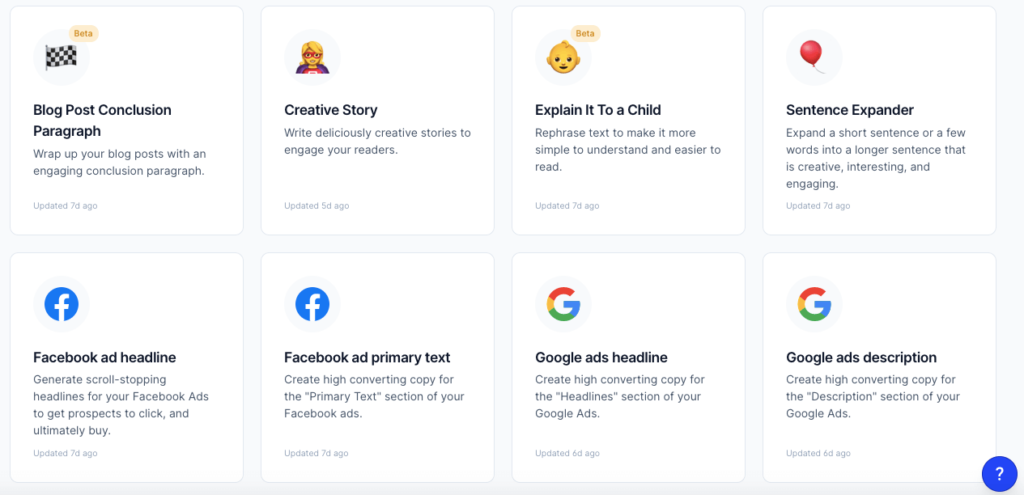
- Sentence expander: By adding variety to your sentence structure, you can make a typically boring paragraph become engaging and interesting.
- Facebook ad headline: This template will generate converting and eye catching headlines that draw in your prospect to your Facebook ad.
- Facebook ad primary text,
- Google ads headline,
- Google ads description,
- Amazon product description (bullets & paragraphs),
- General headlines,
- Sub headlines (H2 Tags) for websites,
- General bullet points,
Video Related Templates
- Video topic ideas: Do you need help coming up with new video topics? This template will give suggestions for different ideas.
- Video scripts outline: Do you want to know the secret of getting people’s attention? It starts with your intro. You have a few seconds and maybe less than fifteen words before they’re gone forever, so let’s make them count! This template does just that.
- Video titles: Turning a boring title into something snappy and memorable is the key to getting more views on your videos.
- Video introduction,
- YouTube video description: You know how hard it is to write a good Youtube description, right? Well, there’s no need to anymore! With this template you’ll be able not only optimize your videos for search engines but also create unique descriptions.
Other Templates
- Response to reviews: If you’re a company owner getting lots of reviews on sites like Capterra, or Trustpilot and don’t have enough time to respond to all your reviewers’ requests for customer service. You can simply copy the review in question into this template that will automatically generate responses with winning messages, professional wordsmithing, and delightful tone of voice which is sure hit home with potential customers.
- Email subject lines: What’s the best way to craft a killer email subject line? It turns out that many people are more likely to open messages with compelling headlines.
- Blog post titles,
- Blog post meta description: This template is a helpful way to optimize your post titles and meta descriptions for Google search rankings.
- Website homepage title,
- Website homepage meta description,
- Product page title,
- Product page meta description,
- Company & personal bio,
- Services page title,
- Services page meta description,
- Features & benefits,
- Unique value propositions,
- Residential real estate listing.
With such an incredible list of templates to work with and well organized tags such as Marketing Frameworks, Ecommerce, Emailing Blogging Ads SEO Video Websites etc., it’s easy to find the perfect format for your needs!
Some other positives I found
- Elegant designs that will give off a professional vibe to whoever views them
- Gorgeous layouts that have been tested in all browsers and devices making sure they’re flawless across every device size
Conversion.AI Review Video And Demo
Although one of the templates is for high converting video scripts, I did not use it for this one.
This is 100% me and my videos will stay that way.
As great as Conversion.ai is, it cannot completely replace a human.
Conversion.ai Long Form Assistant
The Conversion.ai content assistant is a fantastic tool that can be used to create blog posts with minimal effort!
This is perfect if you have ever suffered from writer’s block.

It saves time and money by doing the heavy lifting.
You will no longer need to slave away for days crafting long-form articles when this incredible AI program does it all in a much shorter time frame.
Plus the fact that much of the stress is taken away as well.
So what are the steps?
The first step is to give a brief description of the content, in this case, what you want Jarvis to write about.
This can be just one sentence or it could go on for 600 characters (roughly 20 words).
The longer your description is and more specific detail that goes into describing exactly what you want written by Jarvis then the better chance he will do as described because there won’t be any guess work involved when writing.
For the title and intro paragraph, you have a choice of either inputting your own or letting Jarvis do it for you.
If you choose to enter your own, there is an increased chance that better content from Jarvis will be generated for this blog post.
You get many options to choose from when creating the title which can make writing more enjoyable!
I am amazed at the quality of both the titles and introduction paragraphs.

It’s pretty accurate on what I needed, and you have many options to choose from in order to decide which one is best for me.
From here you can get Jarvis to give you a series of sub headings which you can then use to break up your article.
Then, you begin to prompt the tool by writing a few words in a conversational tone of voice to get the ball rolling then let Jarvis do the rest.
If you are not happy then you simple use the re-write tool.
They have a grammar fixer as well.
Once you are happy you can move onto the next paragraph and continue as much as you want.
The Content Improver
I use this a lot.
If I need to expand on content or need to add to a blog post or article this is what I do.
- Do a search in Google for a topic
- Find the top ranked article
- Copy the bit I need
- Paste it into Conversion AI
- Wait for the tool to spit out a unique piece of re-written content
- Check it on copyscape
- Add to my own article

Who is Conversion.ai a Perfect Fit For?
I would honestly say anyone who writes or needs content.
Simple as that.
You can see the templates it has by scrolling back up this page.
How Conversion.ai Works?
Step 1: Choose your skill
Conversion.ai has training by copywriters and conversion pros with rules to follow and models to mimic, but it’s not just a one-way street – the AI learns from them too!
Step 2: Describe your business
Enter some details about your product, brand or topic.
Then provide simple instructions like “Tone of voice is educational” or rules like “150 characters” to get better copy.
Step 3: Watch AI Write your copy
Conversion.ai will generate a number of outputs for you to save, delete or use in order too your needs!
Conversion.ai Pricing
The Starter plan is perfect for beginners and offers a max output of 400 characters.
It begins at $29/mo, making it the least expensive AI content marketing solution ever created!
The Pro Plan gives you all features in the Starter Plan plus unlimited words generated by our Artificial Intelligence Content Marketing Assistant to create long-form blog articles like this one that has been so popular with your readership.
This will set you back $109 per month now.
It used to be $99 per month but they kept true to their word and upped the price after a short period.

How many team members per plan?
Starter plan has an unlimited number of team members.
Your account is limited to 20,000 words and can be increased by purchasing more in the app for $29/month with a one time payment or monthly payments starting at $15/person.
Useful if you need additional seats on your account such as Pro Unlimited which supports only 3 team member accounts but does not have any limits on usage.
So this may be better suited for teams that are looking to save money who don’t mind limiting their word count per month while still being able to use AI features like chatbots or voice recognition software.
Does Conversion.ai work in other languages?
Jarvis knows: ?? English, ?? French?? German, ?? Spanish, ?? Italian, ??Portuguese, ?? Dutch, ?? Polish, ?? Chinese, ?? Russian, ?? Japanese
My Opinion On Conversion AI [Written my me, not the tool]

As you can see, I have used the software a fair bit.
I think that is necessary to write a proper review.
Personally, the two main features I have used are the Long form editor [only for unlimited users] and the content improver.
And I really like them.
Nothing is perfect and Conversion AI is not different.
From here I will cover what I believe to be two negatives
The Facebook Group
This is a strange one as it is not really the fault of the tool.
But I find the Facebook group to be strikingly similar to the ClickFunnels facebook group.
Clique like members who are way over the top on what they feel the software can do.
And a few not so subtle backslapping posts which I fear will lead to promos.
The group is active though and the actual owners are totally cool.
Maybe I am being overly harsh, but that is how I see it.
Not 100% unique content
While most of the content created by the AI is unique, I still need to pass it through Copyscape to feel 100% safe.
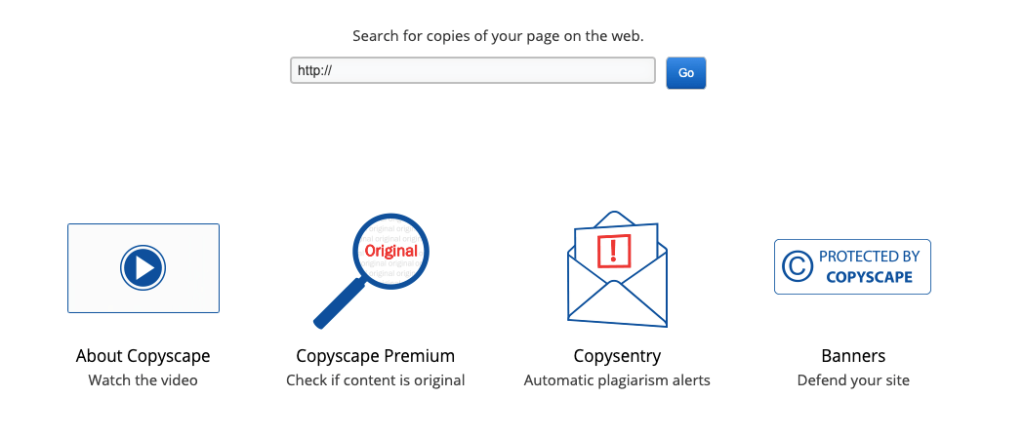
And at times, I do find some of the stuff does not pass.
But this is rare.
Luckily the re-write tool allows me to get a new sample but I feel you cannot use it as is on your blogs or websites just yet.
Summary
For ease of use, conversion ai is great.
Whether you want to use it to ease writer’s block, want to knock out 20,000 words, or for blog posts, then it works as advertised.
And as I have mentioned, for crafting an intro paragraph or two, or by using the content improver function, or even the product description (I used the latter for a YouTube channel about section), then it’s awesome.
You can also use Conversion.ai for landing pages, YouTube videos, Facebook ads along with social media posts in general.
Definitely a tool/software worth adding to your business as it’ll save you so much time.
For long form content, you will need to still be partially involved in the process.
Conversion.ai is not a miracle worker some of the FB group embers would have you believe.
But it does help with quicker quality content creation.
If price is an issue for you, then I would suggest you have a marketing issue.
I’d not try to go for a cheaper option as you’ll get what you pay for.
The $109 per month investment will be rewarded should you actually use the templates to generate quality content.
As to whether the pricing will go up again I am unsure but the company has stuck true to their word so far.
Instead, improve your marketing copy and write better more high converting copy using Conversion AI.
That’s all for this Conversion.AI Review.
Get started below and get help writing great copy.

Conversion AI Bonus
If you clear cookies and grab this via my link, I will give you access to my new course, VidTrendz (Under Creation)

This is a training {see below image}
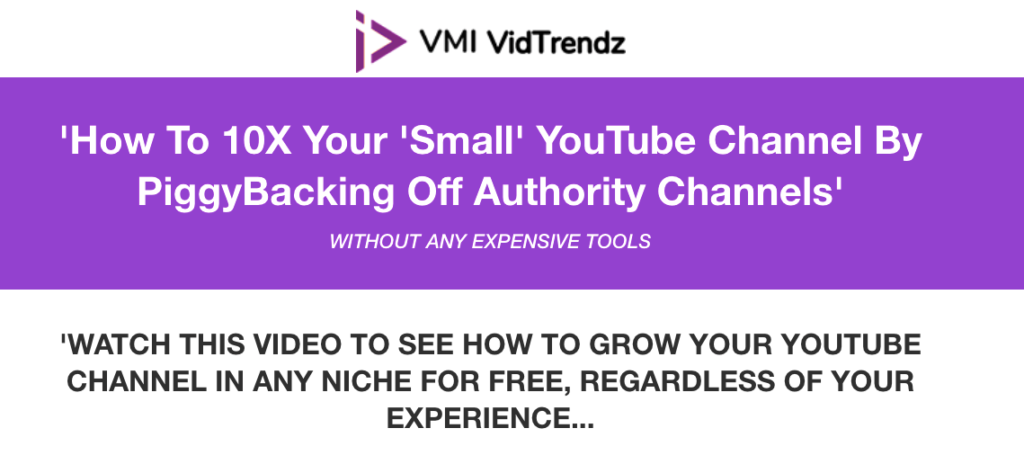
NOTE: To access the bonus, email me your receipt here (clear cookies before buying)